Reference guide
The workspace
What is on screen in Ad Shots and what each part does.
Layout
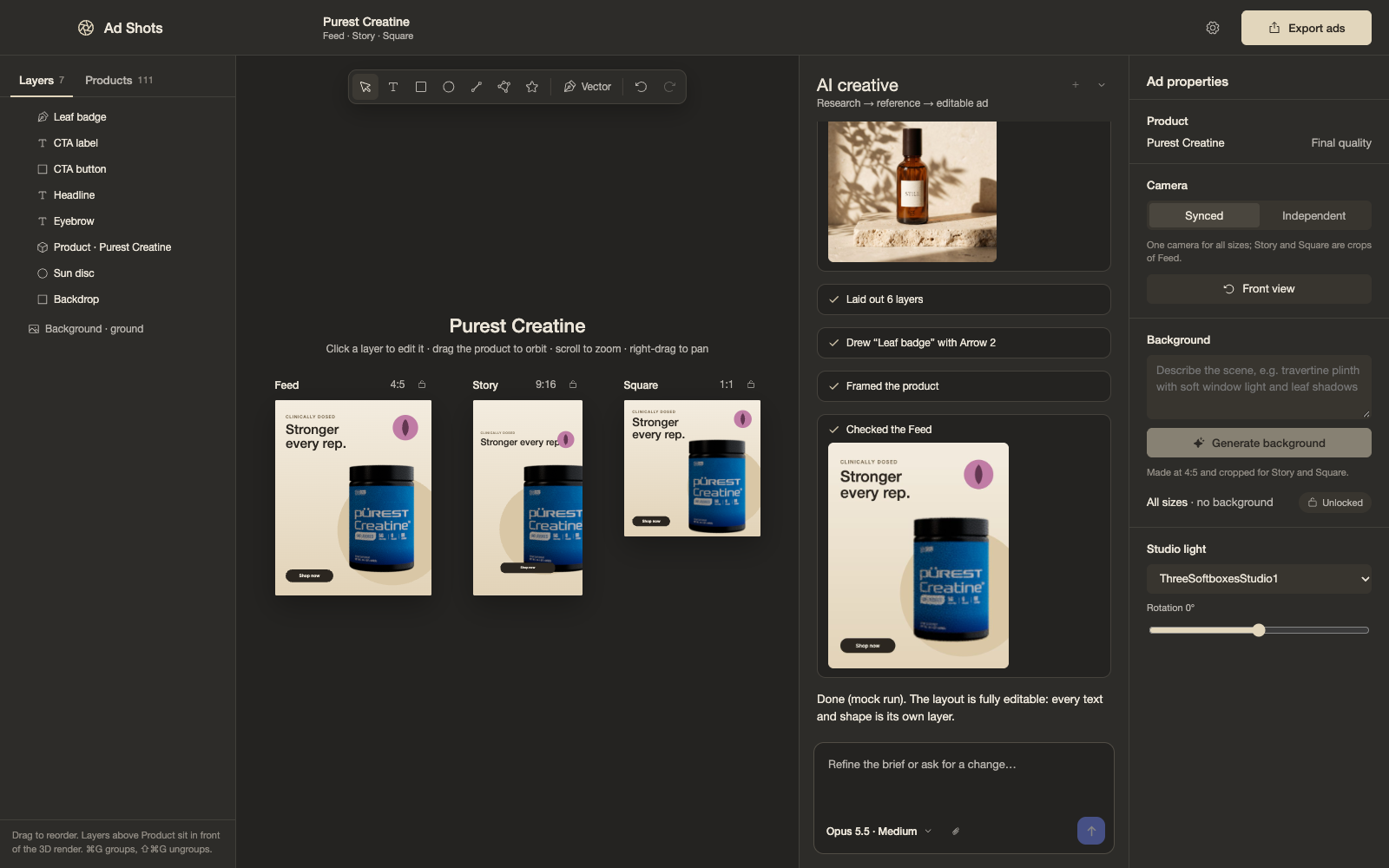
A single ad set sits in the centre showing Feed, Story and Square side by side. The left panel has Layers, Products and Packaging tabs. The right side is the inspector with properties for whatever is selected. A toolbar holds the creation tools, and the AI chat floats at the bottom.
Left panel
- Layers. A tree with groups. Drag to reorder, including in front of or behind the 3D product. Rename, hide and lock.
- Products. The product library, read from a folder on disk. Drag a product onto the ad set.
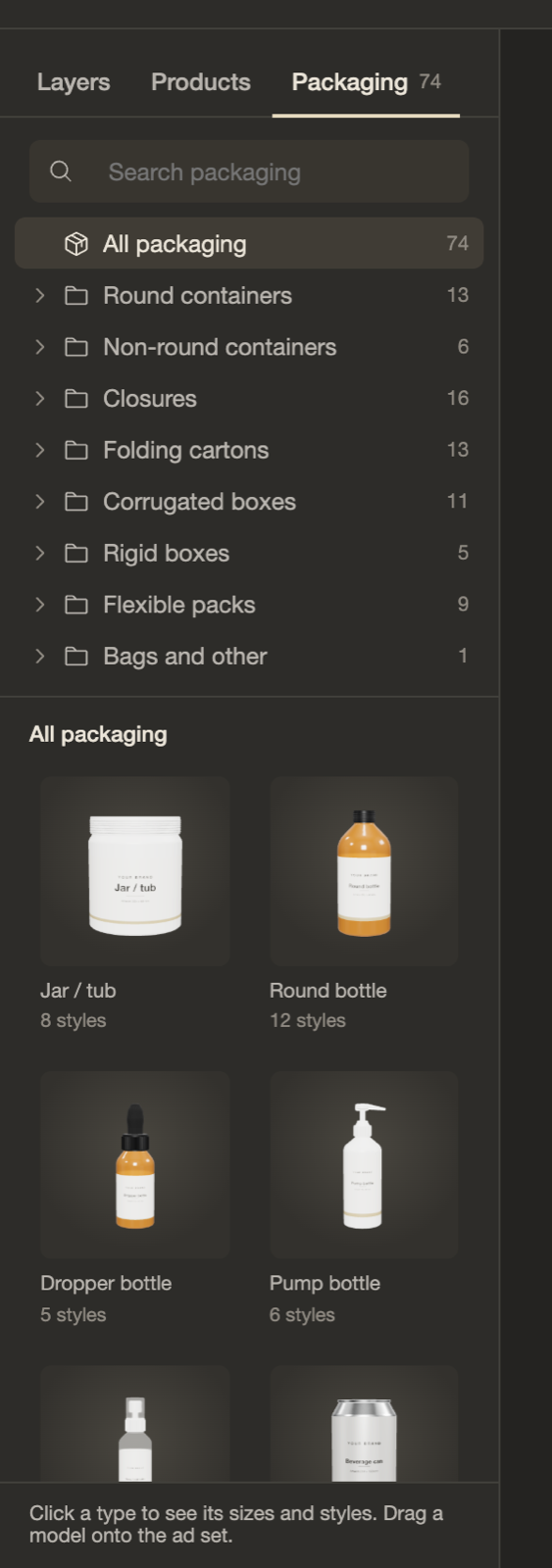
- Packaging. The parametric packaging models, grouped by kind, with a thumbnail for every type.
Layers you can add
| Layer | Notes |
|---|---|
| Text | Any Google Font, weight, italic, size with a per-size override, line height, tracking, alignment, case, colour. Auto width, auto height or fixed. |
| Shape | Rectangle, ellipse, line, polygon, star. Solid or gradient fill, stroke, radius. |
| Vector | Generated by QuiverAI Arrow 2 or Arrow 2 Telos from a prompt, or vectorized from an image. |
| Image | An uploaded image such as a logo. |
| Group | Holds other layers. |
Every layer has its own frame in each of the three sizes. Move, resize and rotate with snapping guides. Multi-select, group, duplicate, undo and redo all work.
Inspector
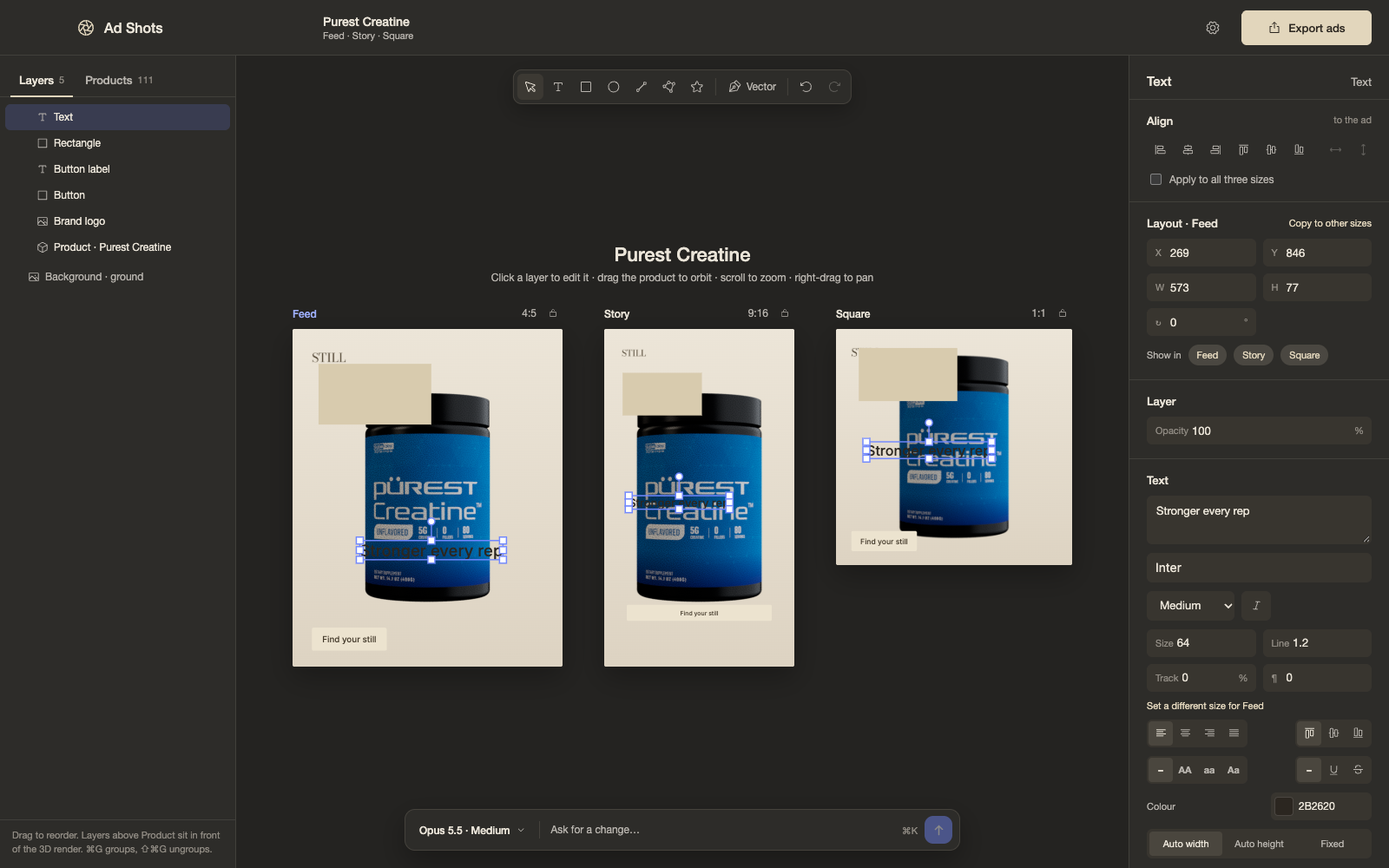
- Alignment. Left, centre, right, top, middle, bottom, to the ad or to the selection, in one size or all three. Distribute spacing.
- Position. X, Y, width, height and rotation per size. "Show in" chooses which sizes a layer appears in. Opacity.
- Product. Camera pose and crop. Cameras can be independent per size or synced.
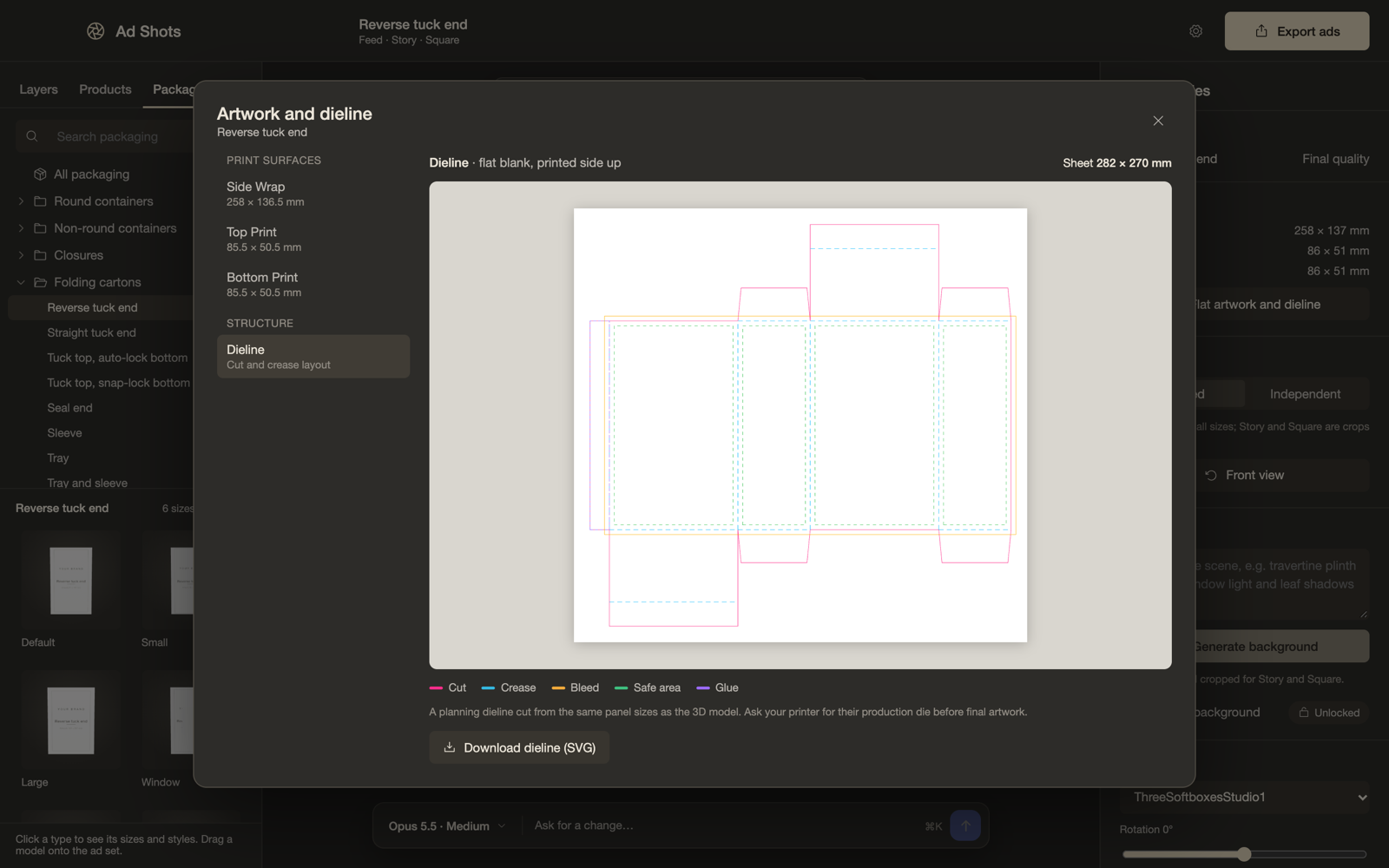
- Texture. With a packaging model on the ad set, this opens "Artwork and dieline".
Artwork and dieline
Each print surface of a packaging model is shown flat at real size with bleed, trim, safe area and fold or seam guides. Board styles also show the dieline. You can download a template, and "Add your artwork" puts your file straight onto the model. Artwork is remembered per model.
AI chat
A small floating bar, opened with Command K, with one selector for model and effort. Docked, it becomes the "AI creative" panel showing research sources, reference images, steps and previews. You can attach or paste reference ads.
What a run does:
- Researches ad angles with web search.
- Makes a reference layout image.
- Rebuilds it as editable text, shapes and vectors in all three sizes.
- Frames the 3D product.
- Renders a preview, looks at it and fixes problems.
Backgrounds
Type a background prompt and Photoroom generates a photographic scene around the product. The product itself is never redrawn.
Export
Exports go to ~/Downloads/Ad Shots Exports.
Settings
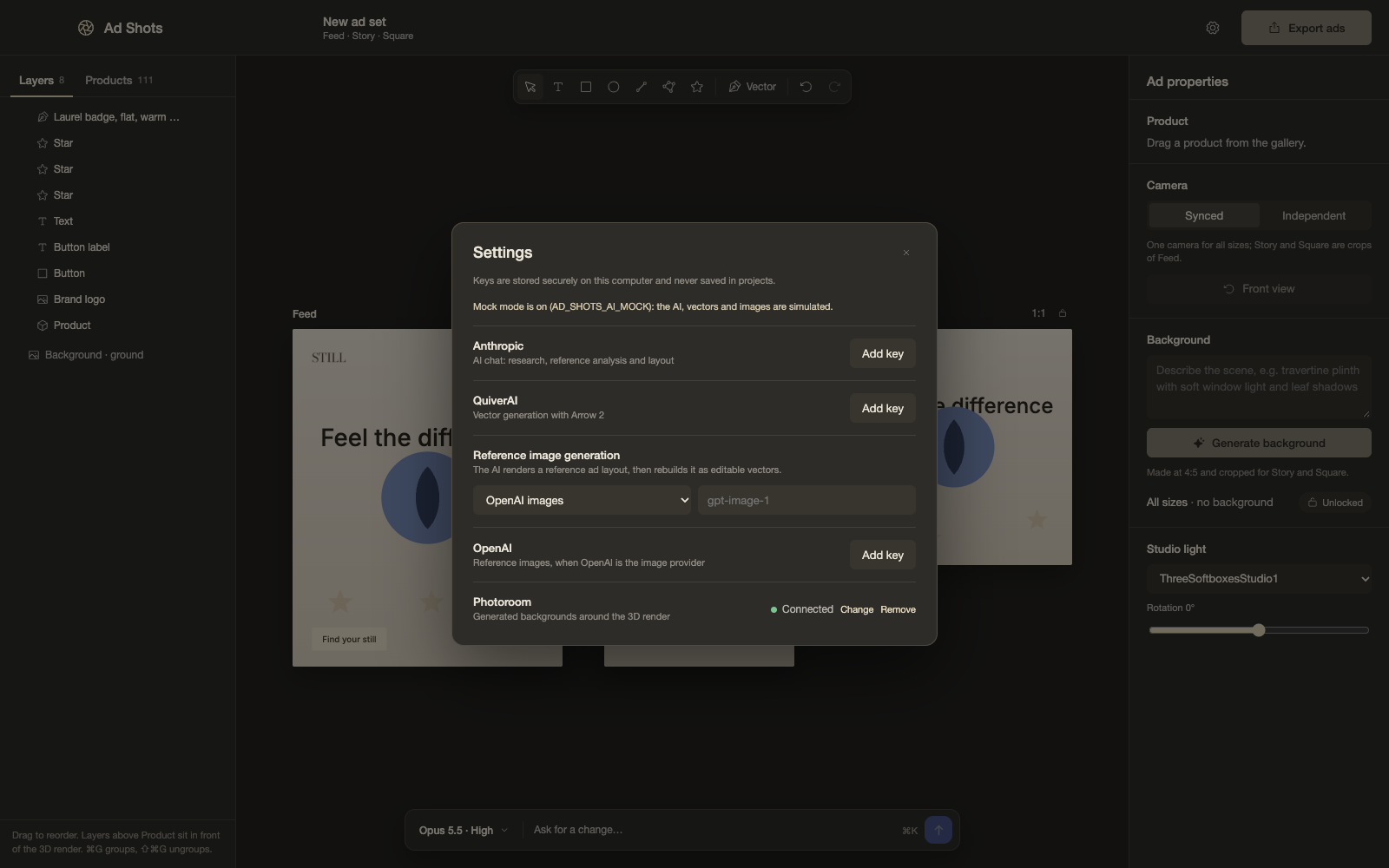
API keys for Anthropic, QuiverAI, OpenAI or Google, and Photoroom are entered here and kept in the operating system's secure storage. They never reach the page.
Updated 2026-11-14. Built 2026-11-15.